If you want to know how to stop doomscrolling, here is the honest starting point: most people don't need to delete every app or go "phone free". They need to make the endless feed a bit less easy to fall into, and give their breaks a natural place to stop.
Below: what doomscrolling is, why it's hard to quit, and the changes real studies tested.
What is doomscrolling?
Doomscrolling is scrolling on and on through bad or upsetting news and posts, even when it makes you feel worse. Cleveland Clinic describes it as a habit of endless scrolling through negative content online, in an August 2026 article with psychologist Susan Albers.
Many people now use it loosely for any long scroll that leaves you tired, even if the content wasn't "doom".
Why it is so hard to stop
It is hard to stop because a feed has no ending. A book has chapters and a TV episode has credits, but an infinite feed always has one more post, so the decision to stop is left entirely to you, usually when you are tired.
Notifications make it worse: unlock for one message and the feed is one tap away. So the tips below change the phone, not your character.
5 changes that studies have tested
These go from "takes ten seconds" to "takes a little planning". Two or three that suit you is plenty.
1. Grayscale: the easiest win
Grayscale is the change with the clearest results. In a 2024 study in Mobile Media & Communication, Dekker and Baumgartner tracked 84 people's phones for a week as normal and then a week in grayscale. Daily screen time fell by about 20 minutes. People also reported feeling more in control of their phone use and less stressed. Sleep quality and productivity did not change, and, tellingly, the number of times people unlocked their phones stayed the same.
A 2023 randomized field experiment by Zimmermann and Sobolev (112 people) compared grayscale with self-chosen time limits and with simply watching your own stats. Grayscale cut screen time straight away; the time limits worked too, but less and more slowly. Just tracking your usage, without changing anything, did not lower it.
On Android, the Digital Wellbeing settings can switch the screen to grayscale as part of Bedtime mode (Settings, Digital Wellbeing, Bedtime mode, then "Grayscale" under screen options). Exact menu names vary a little by phone.
2. App timers: a soft wall
An app timer is a daily limit for one app. Android's Digital Wellbeing help page explains that when the timer runs out, the app closes and its icon dims until midnight. Removing it takes a few deliberate taps, and that's the point: the habit becomes a choice again.
Pick one or two apps; a timer on everything trains you to ignore timers.
3. Batch your notifications
Fewer interruptions mean fewer trips back to the feed. In a 2019 field experiment in Computers in Human Behavior, Fitz and colleagues randomly assigned 237 people to get phone notifications as usual, three times a day in batches, or not at all. The batched group reported feeling more attentive, more productive, in a better mood and more in control of their phones.
The interesting part: the group with no notifications at all didn't get those benefits and reported more fear of missing out. So the aim is fewer, predictable check-ins, not silence. Most phones let you schedule a notification summary or a Focus mode for this.
4. Out of sight, out of reach
Leaving the phone in another room is a common tip with some research behind it. In the 2017 "Brain Drain" experiments by Ward and colleagues in the Journal of the Association for Consumer Research, people whose phones were in another room scored better on a working memory test than people whose phones sat on the desk, even face down and switched off. Later attempts to repeat that result have had mixed results, so treat it as a sensible nudge rather than a proven rule.
If you need an hour of focus, charge the phone across the room.
5. One question before you unlock
Before you pick up the phone, ask what for. Cleveland Clinic's tips include exactly this pause. If the answer is "to reply to Sam", do that and put it down. If the answer is "no idea", that's your cue. Remember the grayscale study: screen time fell but unlocks didn't, so it helps to catch the reach itself.
Give your breaks an ending
Most tip lists miss this: replace the scroll, don't just block it. A five-minute break turns into forty when the thing you opened never ends.
A good phone break has a natural stop: a song, one chapter, one level, one round. Our guide to micro breaks at work covers how long and how often to pause, and the routine in satisfying games to relax keeps a game break short: set a timer, play one round, stand up.
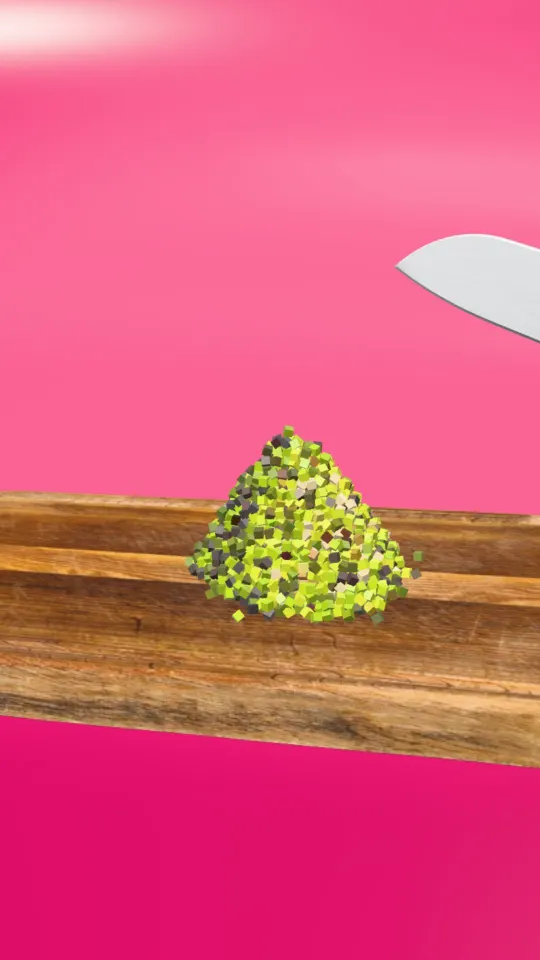
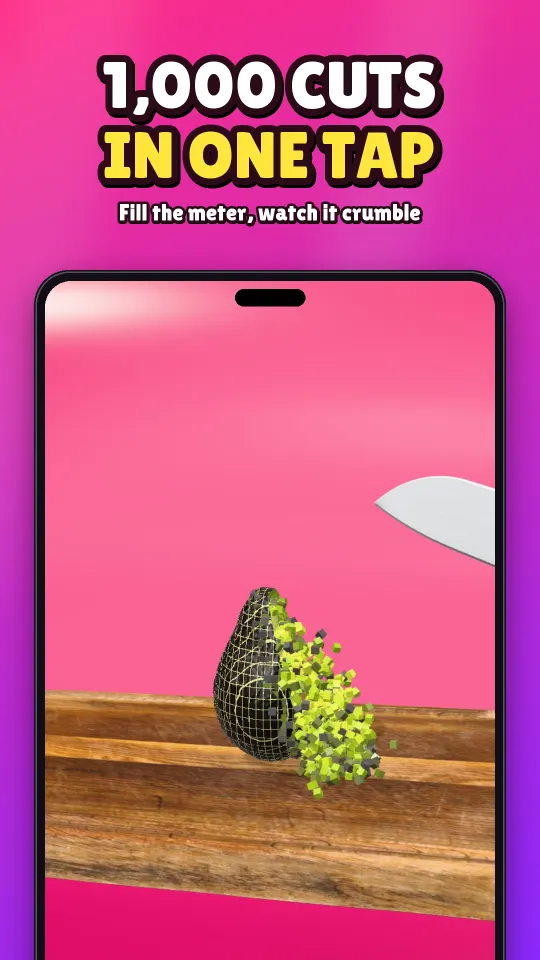
We make 1000 Cuts, a fruit slicer game for Android, so here is our honest take on where it fits. One fruit is one small round: you chop a real 3D-scanned fruit on a wooden board, fill the ⚡ meter with 40 chops, and watch 1,000 cuts crumble it into a pile. That finished pile is a good place to stop. Two honest caveats: every few fruits a timed Golden or Holo challenge fruit adds a bit of urgency, and the free version shows a full-screen ad every few fruits (our piece on games with too many ads explains how to judge that for any game).
When it's more than a habit
Most doomscrolling is a habit, and habits respond to small changes. But if scrolling is keeping you up at night, if the news leaves you anxious or low most days, or if you can't cut down even when you really try, it's worth talking to a doctor or a mental health professional. A setting or a game is not a treatment for anxiety, low mood or sleep problems.
Frequently asked questions
What is doomscrolling?
Doomscrolling is endlessly scrolling through upsetting or negative news and posts, even when it makes you feel worse. Many people now use the word for any long, tiring scroll.
Does grayscale really reduce screen time?
In studies, yes, modestly. A 2024 experiment found about 20 minutes less screen time a day in grayscale, though people unlocked their phones just as often.
Do app timers work?
They help, but less than grayscale in one 2023 experiment, where self-chosen time limits gave a smaller and more gradual drop. Limit one or two apps, not all of them.
Should I turn off all notifications?
Probably not. In a 2019 study, getting notifications in three batches a day worked better than getting none, which left people with more fear of missing out.
How do I stop doomscrolling at night?
Charge your phone outside the bedroom if you can, or use a bedtime mode that turns the screen gray and pauses distracting apps at a set time.
Sources
- Dekker C. A. & Baumgartner S. E. (2024). Is life brighter when your phone is not? The efficacy of a grayscale smartphone intervention addressing digital well-being. Mobile Media & Communication, 12(3), 688–708. Link
- Zimmermann L. & Sobolev M. (2023). Digital strategies for screen time reduction: A randomized field experiment. Cyberpsychology, Behavior, and Social Networking, 26(1), 42–49. Link
- Fitz N. et al. (2019). Batching smartphone notifications can improve well-being. Computers in Human Behavior, 101, 84–94. Link
- Ward A. F., Duke K., Gneezy A. & Bos M. W. (2017). Brain drain: The mere presence of one's own smartphone reduces available cognitive capacity. Journal of the Association for Consumer Research, 2(2). Link
- Cleveland Clinic (2026). Everything you need to know about doomscrolling and how to avoid it. Link
- Google. Manage how you spend time on your Android phone with Digital Wellbeing. Link
Updated · By the 1000 Cuts team at DIGCY SARL AU