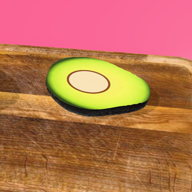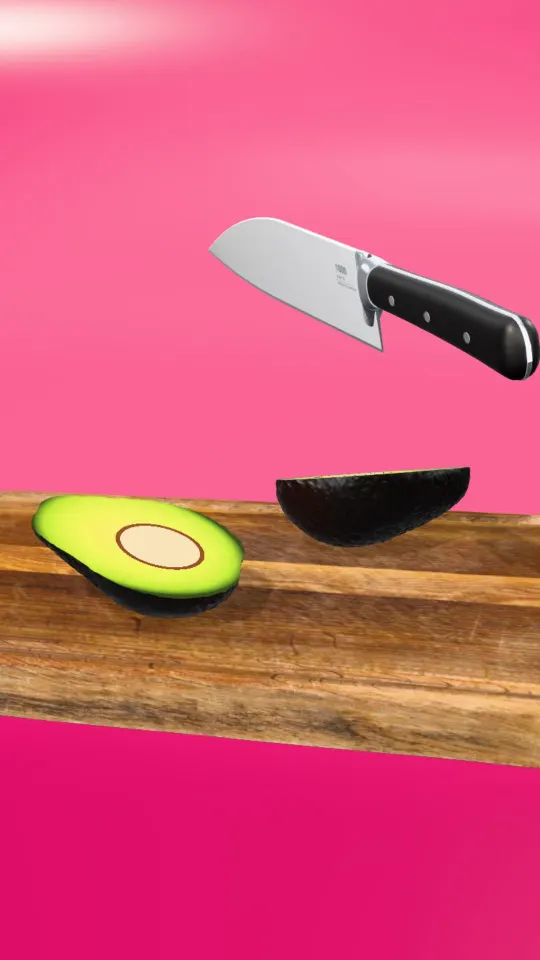
If you have ever wondered how satisfying 3D videos are made, the short answer is: slowly, and one frame at a time. The clips of a blade gliding through a glossy cube, or a fruit falling into a thousand perfect pieces, are not filmed. They are built in software, simulated by physics engines and rendered offline. We make 1000 Cuts, a fruit slicer game born from "1 cut vs 1,000 cuts" reels, so this pipeline is close to home. Here is how it works, step by step, using the tools' own documentation.
What software are satisfying 3D videos made with?
Most are made in Blender, a free and open-source 3D program, or in paid professional tools such as Cinema 4D and Houdini.
Blender covers the whole job in one app: modelling, physics, rendering and even basic editing. That is why most tutorials for this style use it. Cinema 4D is the main paid alternative. Its maker, Maxon, ran an "Oddly Satisfying Render Challenge" for 5 to 20 second clips made with Cinema 4D and its Redshift renderer, and announced the winners in June 2026 after more than 100 entries. Houdini is popular in film effects for heavy simulations such as soft bodies and fluids.
Rendering is far faster with a good graphics card.
The six steps behind a satisfying 3D clip
Almost every satisfying 3D clip goes through the same six stages:
| Step | What happens | Typical Blender tool |
|---|---|---|
| 1. Model | Build the object, the blade and a simple set | Modelling tools, Geometry Nodes |
| 2. Cut | Decide where and how the object splits | Boolean modifier, Cell Fracture |
| 3. Simulate | Let physics move the pieces | Rigid body, soft body, cloth |
| 4. Shade and light | Give surfaces a real-looking material | Shader nodes, studio lights |
| 5. Render | Turn every frame into an image | Cycles (or EEVEE for speed) |
| 6. Sound and loop | Add audio and make the end meet the start | Video editor, audio editor |
The steps below go through each one.
Step 1 and 2: modelling the object and making the cut
The cut is the heart of the clip, and there are two main ways to make one.
The Boolean cut. Blender's manual describes the Boolean modifier as combining meshes with an operation: Intersect, Union or Difference. "Difference" cuts one shape out of another. Animate a thin box (the blade) moving through a cube and you get a perfectly smooth slice face. The manual warns that meshes with holes can give odd glitches, which is why these clips favour simple, solid shapes.
The fracture. For shattering or crumbling, artists use a fracture tool. Blender's Cell Fracture splits an object into many small solid chunks. It used to be bundled with Blender and since version 4.2 it is a free community extension, found under Object, Quick Effects once installed. Many artists also build their own splitting rules with Geometry Nodes, which is how procedural loops of hundreds of identical slices are made.
Step 3: letting physics do the work
Once an object is split, a physics simulation decides how the pieces fall, slide and settle. Blender's manual says its rigid body simulation moves solid objects without deforming them, and that "active" bodies are simulated while "passive" ones, like the cutting board, stay put.
That is why pieces tumble so naturally: nobody animates each one by hand. For wobbly materials like jelly or slime, artists switch to soft-body or cloth simulation, which lets the shape bend and jiggle. Simulations are usually "baked" (calculated once and stored) so the artist can scrub back and forth without waiting.
The secret of the satisfying look is restraint. Artists tune friction, mass and timing over and over until the pieces land neatly instead of flying around. A messy simulation is easy; a calm, tidy one takes many tries.

Step 4 and 5: materials, light and rendering
Rendering is where a grey model becomes glossy, juicy and real-looking, and it is the slowest part of the job.
Blender's manual calls Cycles its "physically-based path tracer for production rendering". In plain words, it traces how light bounces around the scene to work out every pixel, which is why reflections, soft shadows and see-through jelly look so convincing. The cost is time: a single high-quality frame can take seconds to minutes, and a ten-second clip at 30 frames per second needs 300 of them.
Most clips use a simple studio set: one soft light, a plain background, nothing to distract from the cut. Blender's faster EEVEE engine is used when speed matters more than perfect light.
Step 6: sound and the seamless loop
Sound is added afterwards, because a 3D scene is silent. Creators layer real recordings, such as knife taps, crunches and squelches, from their own microphone or from sound libraries with clear licences. The timing has to match the frame where the blade touches, or the clip feels fake. Our guide to cutting ASMR sounds explains why crisp sounds land so well.
Then comes the loop. Editors trim the clip so the last frame flows into the first: the pile disappears and the whole object is back. That is a big part of why satisfying videos go viral.
How long does one clip take?
A simple Boolean slice loop can be built in an afternoon by a practised artist; a detailed simulation can take days. The hard part is rarely the first version. It is the many rounds of tweaking, re-simulating and re-rendering until every piece lands just right. Render time depends on hardware and settings, so there is no single honest number. If you are thinking of turning clips like these into a channel, read our honest look at faceless satisfying channels and the rules that decide whether they get paid.
Rendered videos vs a real-time game
A rendered clip can spend minutes on each frame; a game has a fraction of a second. That is the big difference between the two. We explain the whole gap, frame budgets and all, in real-time vs pre-rendered.
The Physics Candy "1 cut vs 1,000 cuts" reels are rendered offline, the way this article describes. 1000 Cuts is the real-time version, a fruit slicer game for Android: real 3D-scanned avocado, kiwi, lemon, apple, lime, onion and pomegranate, and you tap to chop exactly where you want, hold and drag to chop fast, and twist the board to dice. When the ⚡ meter fills, you trigger 1,000 cuts and the fruit crumbles into a pile in front of you.
If you want to know where the "satisfying" feeling comes from in the first place, read why fruit cutting videos are so satisfying.
Frequently asked questions
What app do people use to make satisfying 3D videos?
Most use Blender, which is free. Cinema 4D with the Redshift renderer and Houdini are common paid alternatives for professional work.
Are satisfying cutting videos real or CGI?
Many are CGI. The impossibly clean slices of metal, glass or rainbow jelly are usually 3D renders, while real food cutting videos are filmed with a camera. The perfect geometry and studio light are the clues.
How do you cut an object in Blender?
Use a Boolean modifier set to Difference with a thin "blade" object, or split it into chunks with the Cell Fracture extension. Then add rigid body physics so the pieces fall naturally.
Why do 3D renders take so long?
Realistic renderers like Cycles trace how light bounces for every pixel of every frame. A ten-second clip at 30 frames per second is 300 separate images.
Can a phone game look like a rendered video?
Not exactly. A game must draw each frame in a fraction of a second, so it uses faster techniques than an offline renderer that can spend minutes per frame.
Sources
Blender Manual (5.2 LTS), "Boolean Modifier", docs.blender.org; "Rigid Body: Introduction", docs.blender.org; "Cycles", docs.blender.org. Blender Extensions, "Cell Fracture", extensions.blender.org. Maxon, "Oddly Satisfying Render Challenge" winners, maxon.net.
Updated · By the 1000 Cuts team at DIGCY SARL AU